Wondy's Journey: The tech side of things
When diving into a new project, there’s often more than meets the eye.
Wondy’s Journey is no exception. This is where our Creative Frontend Developers shine. They ensure that even our wildest ideas not only become reality but also provide an immersive enjoyable experience.
In our previous article, we talked about how the Wondy’s Journey idea came to be, in this one, we’ll talk about how we’re actually building it.
So, if you’re curious about the tech decisions we are making, read on.
OUTLINE:
- Game mechanics
- Character choice
- 3D Web implementation
- Camera and Character movement
- Buggy moments
What is the game even about?
Right from the beginning, we had a clear vision: create a digital space that not only looks captivating but also serves as a canvas for creative exploration. However, this initial concept was a bit too broad and lacked a clear focus. So, we asked ourselves a fundamental question:
“What do we want players to experience?”
The answer to this question went beyond just showcasing our playground creations. We aimed to invite players to explore the world around the desk, not only the creative work within it.
Game mechanics
This is where game mechanics entered the picture.
We realized that for Wondy’s Journey to succeed, players needed to take the roles of both explorers and collectors of playground work (we decided the work would be presented in the form of cards that would offer little insights into the playgrounds).
The discussion around gameplay was no small task and led to a lengthy meeting, which we’ll delve into in the next episode. Ultimately, this discussion brought us all on the same page.
We decided that players should feel compelled to explore their surroundings while also feeling motivated to collect cards containing information about different playground creations.
This choice made us think more about how these cards should be collected, their visual design, functionality, and the interactive experience they offered.
We also realized the significance of adjusting camera angles to ensure the entire experience would be immersive and enjoyable.
Character choice
As the vision evolved, character choice came to haunt us. This decision became important because it impacts not only the character’s movements but also the camera angles.
The tool that we spent some (okay, a lot of) time on was Mixamo by Adobe.
Even if you’re not planning to launch a game, it’s worth checking out for its library of 3D characters, skeletal rigs, and animations for seamless integration into various digital media projects.
Our top candidates? “Sporty Granny” and “Michelle.”
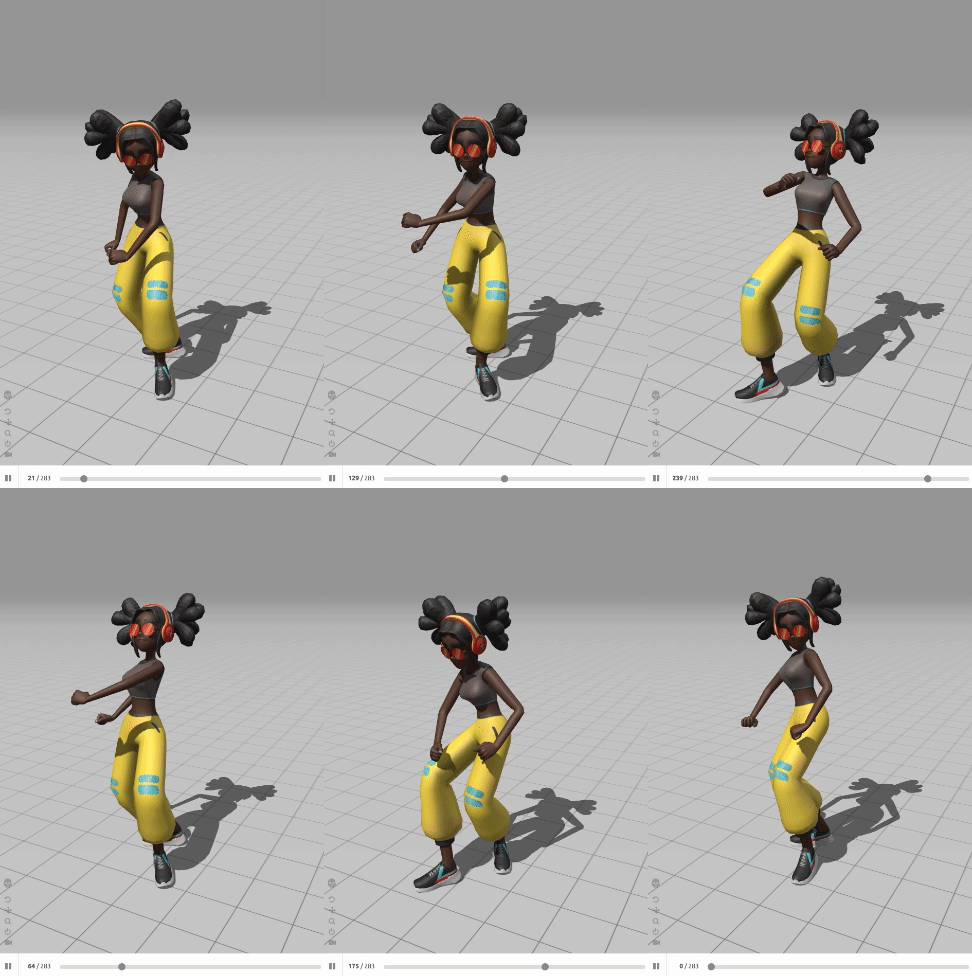
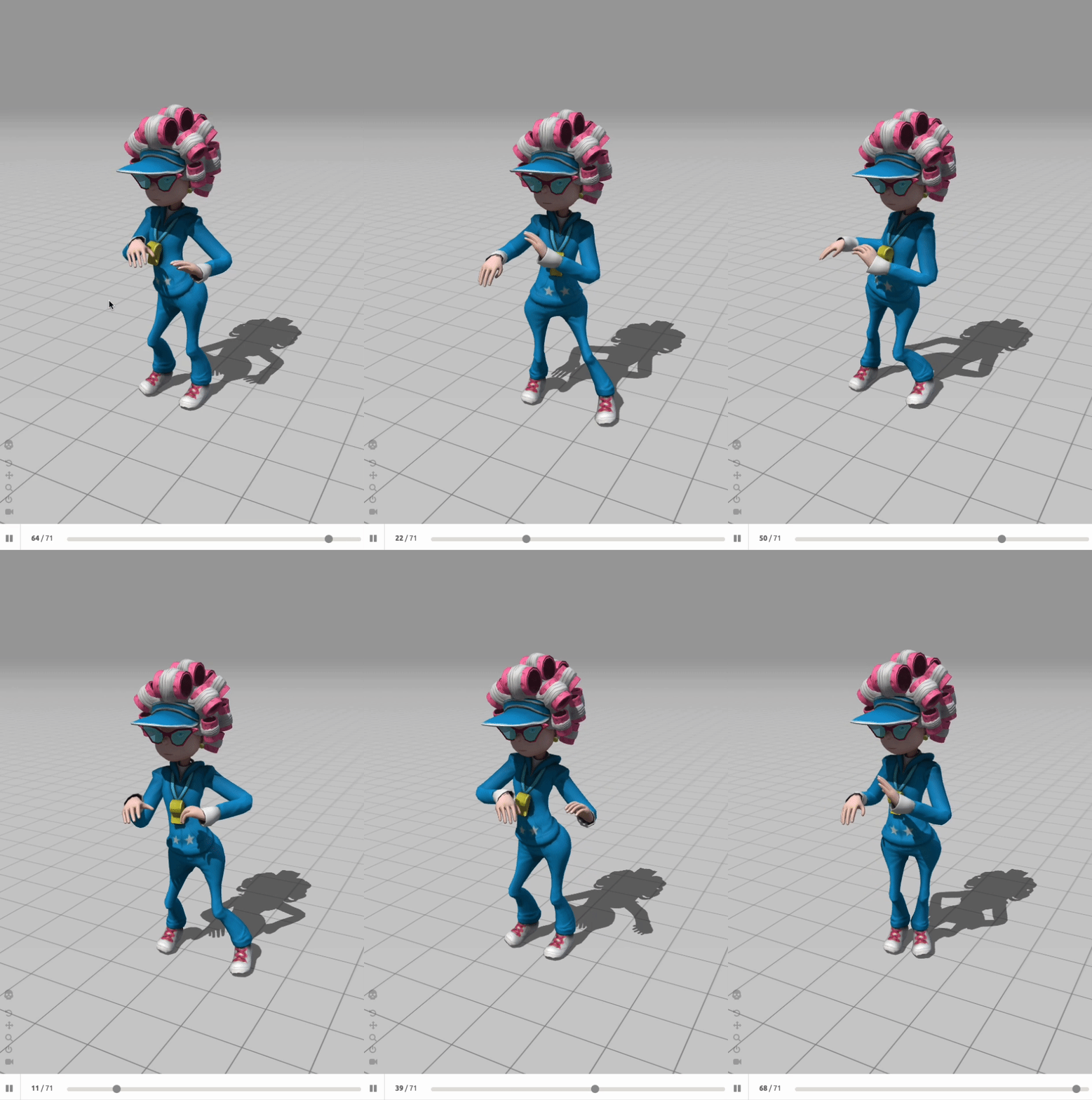
But ultimately, we decided on a customized Wondy’s Journey character — more on that soon.
3D Web implementation
Our journey into 3D web implementation began a while back.
We initially dabbled with 3D web during the creation of the Wonder Games website and during our playgrounds.
These explorations gave us insights into the possibilities of 3D implementations with Three.js library, especially the “meta libraries” — React three fiber and Threlte.
Framework decisions
When it came to selecting the framework for Wondy’s Journey, we had some decisions to make.
We had been relying on SvelteKit as our framework of choice for the past year, so the big question was whether to go with R3F and Threlte.
R3F is at the top of the game, there is nothing better currently. But as developers, we were never fans of React to begin with so we were to decide which one to pick.
Unlimited options? Or an exciting new framework built with our favorite SvelteKit in mind?
We envisioned Wondy’s Journey as a prime example of what could be achieved with Threlte, especially considering that the creator of Threlte had developed a Trackmania-like game called Threltemania.
Our timing seems impeccable.
Right when we were considering Threlte, the new version, Threlte 6, was released.
While it brought exciting improvements, it also meant we might encounter some bugs or unsolved challenges along the way. But the promise of what the future held for this project kept us going forward.
Another source of inspiration for us was “Plume and the forgotten letter,” a WebGL game that demonstrated the creative potential of web-based 3D experiences.
First demos
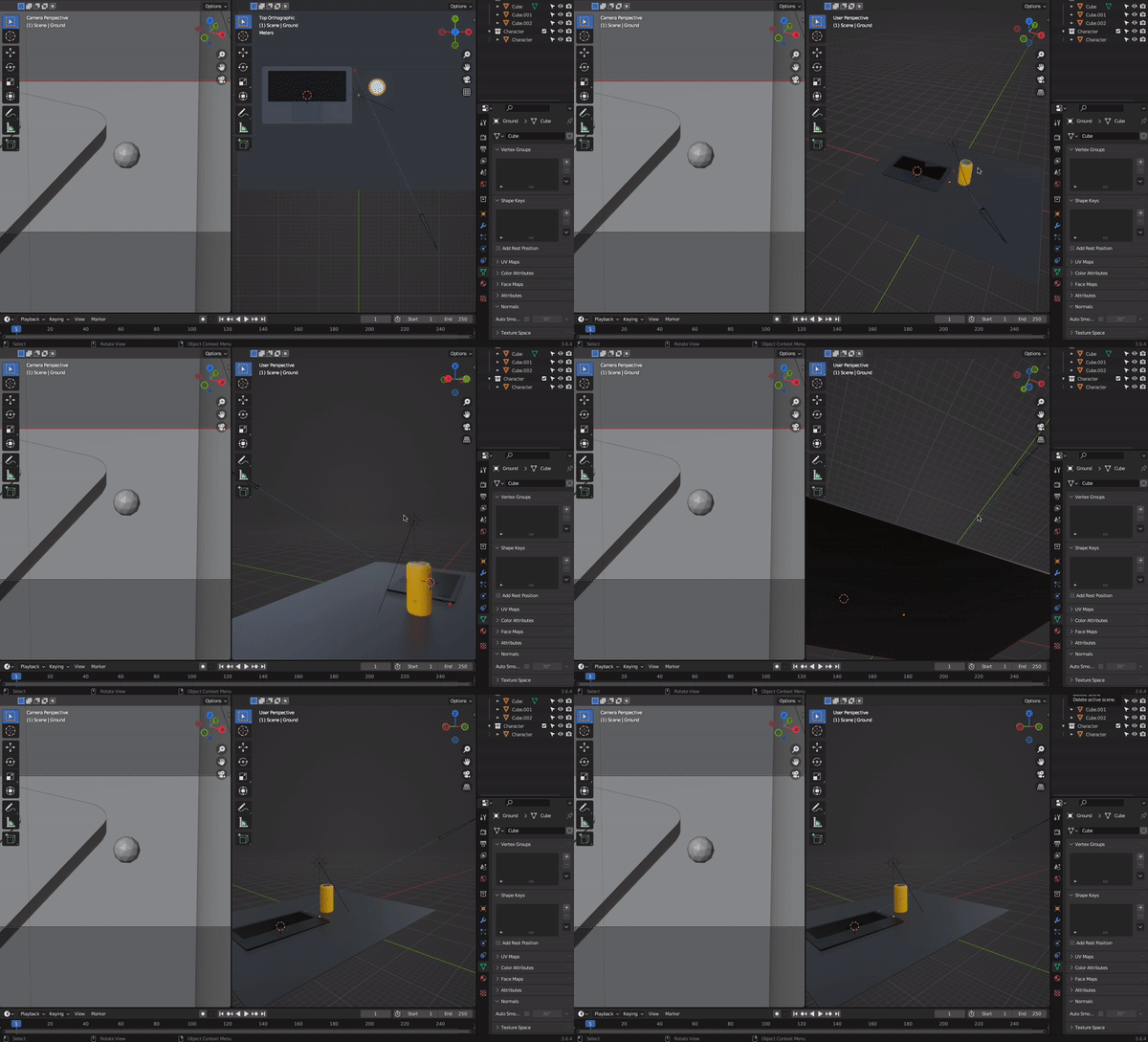
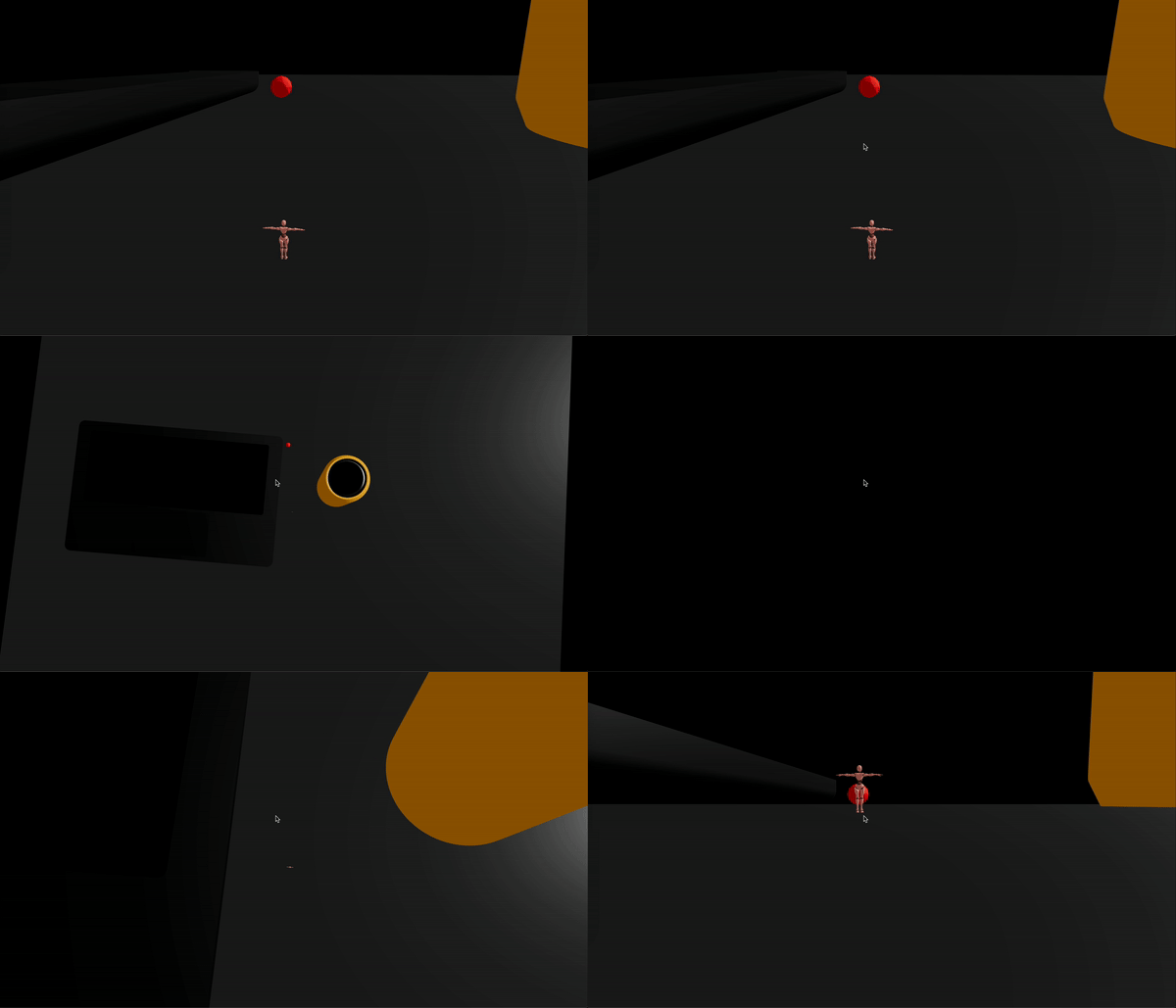
Gabe, our skilled Creative Frontend developer with a knack for 3D, began by exploring Blender previews with Eevee. Then Krystof, his partner in crime, took over by integrating them into a demo hosted on Vercel.
Camera and character movement
Our journey with Threlte led us to explore character movement and camera mechanics.
Since Wondy’s Journey is all about space exploration and card collection, we aimed to create a user-friendly experience for navigating through space easily.
From the beginning of the project, we experimented with different approaches to interacting with the environment, particularly focusing on camera rotation and character movement.
Drawing inspiration from indie gameplays, our goal was to maintain a consistent camera angle, zoom, and Field of View (FOV) to encourage players to explore every inch of the scenes. To achieve this, we leveraged Threlte’s BasicPlayerController.
Imagine games like “Sneaky Sasquatch” and the creative developer Bruno Simon’s work as examples of our constant camera angle philosophy.
Camera Rotation
As we delved deeper into Wondy’s Journey’s development, we realized that restricting players from looking around and exploring the scene from different angles would limit the overall experience.
So, we made the decision to enable camera rotation, opening up a world of possibilities offered by Three.js.
Initially, we explored PointerLockControls, which seemed like the perfect solution for character movement. However, the constant use of the cursor by the PointerLock API made it unsuitable for our purpose, as we needed players to interact with the in-game UI.
OrbitControls to the Rescue
OrbitControls became a clear winner.
This feature allows players to freely look around by dragging the camera view while also enabling us to move the camera around the character using keyboard controls.
Also, by wrapping the character in a rigid body, we unlocked the ability to jump, adding a whole new dimension to the gameplay.
Example: Imagine something suddenly comes into view, and you want to inspect it from another angle. That’s why we implemented full rotation around the character by dragging with the mouse, giving players the flexibility to explore their surroundings.
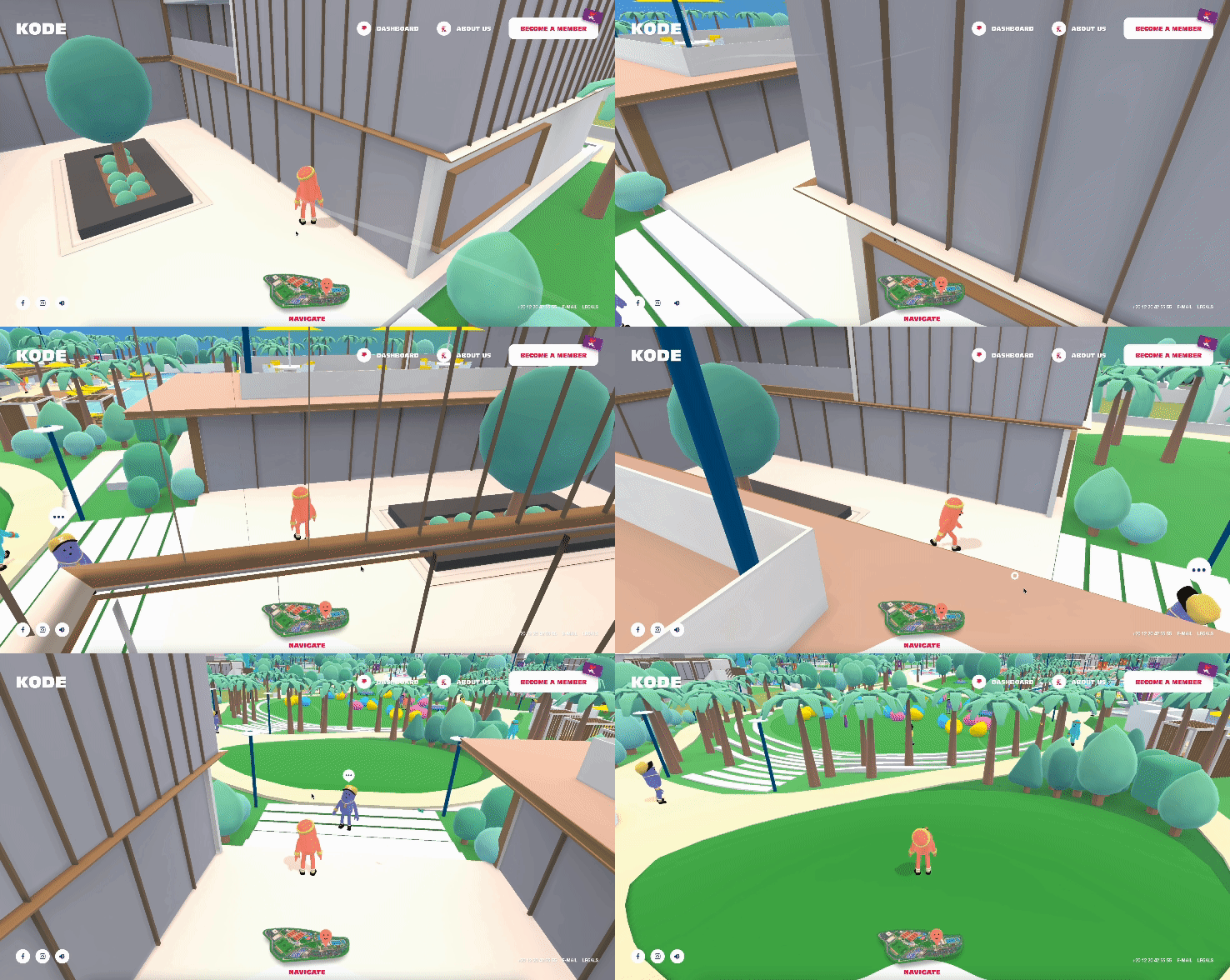
As evident in this example, camera rotation plays a pivotal role in ensuring that nothing obstructs the player’s view.
Welcome screen and Graphics quality
To make the game as accessible as possible, we also made a decision to provide users with the option to select game quality right from the start. This choice was driven by our desire to cater to players with slower systems. We designed a simple welcome screen with temporary information to facilitate testing.
Game navigation
Even non-gamers should be able to enjoy Wondy’s Journey, so we created a quick and simple tutorial to explain game navigation. Initially, we started with the classic WASD controls, but we realized that not everyone is familiar with these standards. Therefore, we added an option to play using arrow keys as well.
Buggy Moments
Now, let’s delve into some of the fun and enlightening buggy moments that occurred during our development journey in this stage:
MOMENT #1
Objective: We aimed to create a quicker ball movement to simulate a “sprint.” Reality: Accidentally, we increased the speed variable on every frame, causing the ball to gain an absurd amount of momentum and shoot off into the void at the speed of light. Not what we had in mind…
MOMENT #2
Objective: Figuring out camera rotation and character transformation. Reality: We realized that transforming the camera was tricky because it’s a child of orbitControls, which is responsible for camera transformation. Attempting to transform both the camera and character simultaneously led to unexpected effects.
MOMENT #3
Objective: To smoothly transform the character and camera during movement. Reality: We encountered a similar problem as in MOMENT #2 but in reverse. We had been transforming the character and camera, but we overlooked the need to transform orbitControls’s target. As a result, the target’s position remained unchanged during movement, creating a comical rotation effect.
Phew, that was a bit more technical this time, but these things are essential to mention. In the next article, we’ll dive into the Gameplay and we promise it’s going to be super fun.
Subscribe to stay tuned for the next one!
Collaborators: Gabriel Uhlir & Krystof Cernik [Creative Frontend Developers @ Wonder Makers]
Early access invite
Eager for a preview? Let us know down in the comments and we’ll notify you when the beta version is live.